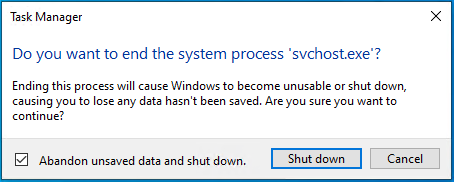
Here’s a fun fact: CRITICAL_PROCESS_DIED is one of the few Windows BSODs (Blue Screens of Death) that anyone can provoke at will – on Windows 10, anyway. If you kill the process named svchost.exe in Windows 10 (right-click in Task Manager, and pick “End process tree” from the pop-up menu), it asks for confirmation before showing an error screen (see above for error screen, below for confirmation window).